Your personal tutor for the Digital SAT.
One well-made hour a day, planned like a great teacher would. Math and Reading and Writing for the digital SAT, at your level, on the days you choose.
Free to start: one full focus hour. No card needed.
Classes, questions, a coach and films. Screen by screen.
The hour runs in the order a good lesson does, at your level: practice aims for about six in ten right, and eases off when you're stuck. Alongside school and any tutoring you already have, not instead of it.
- 1
The focus hour
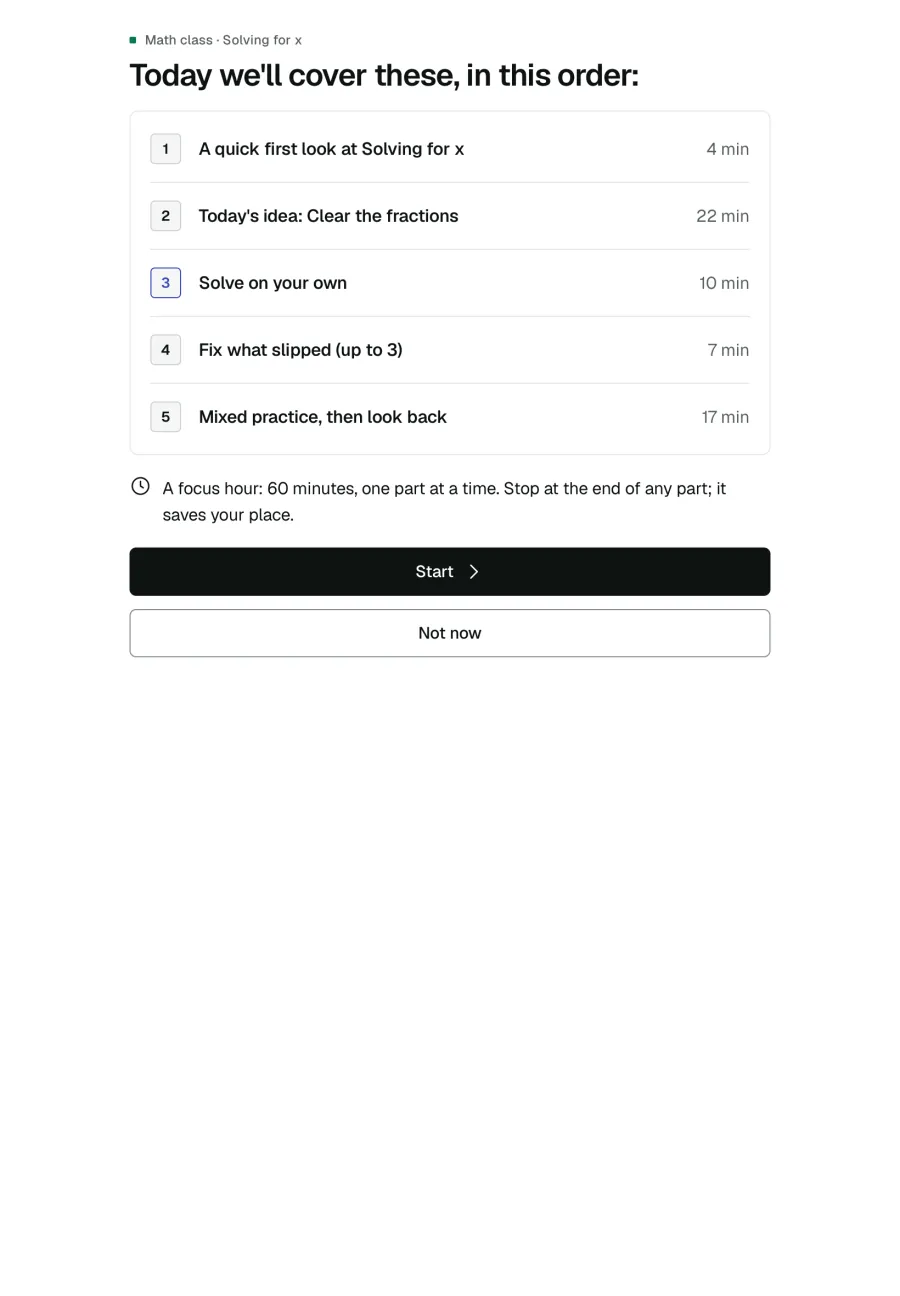
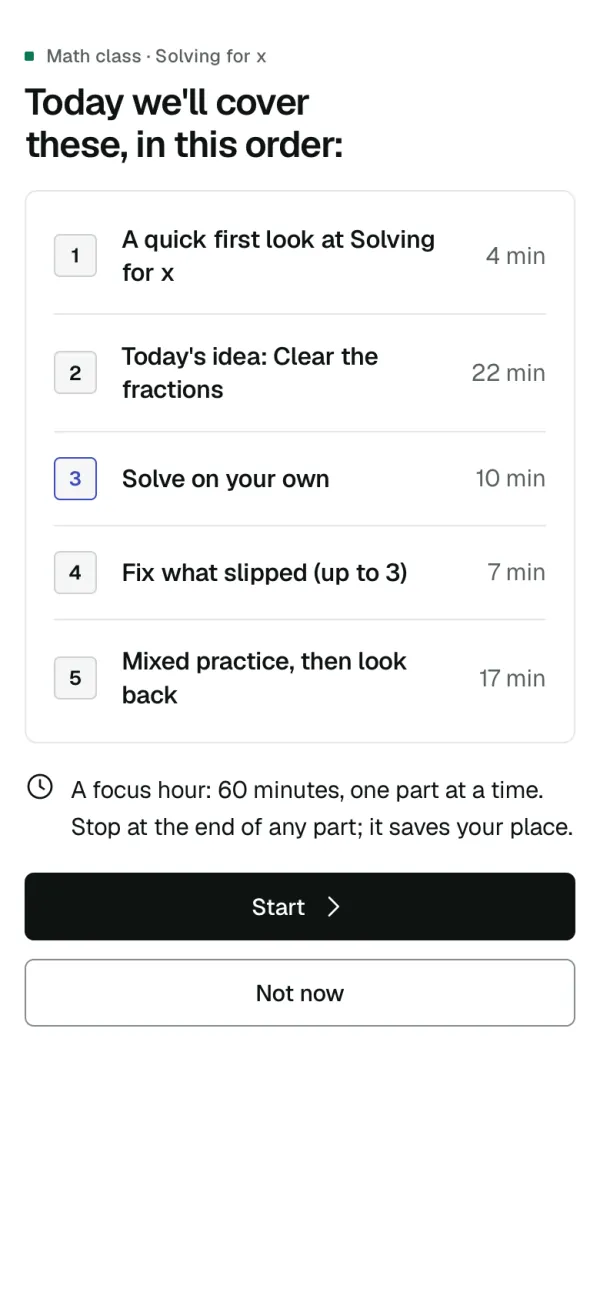
Every hour opens with its plan: a quick recall, today's idea, a set on your own, fix what slipped, then mixed practice and a look back. Stop after any part and it keeps your place.
- 2
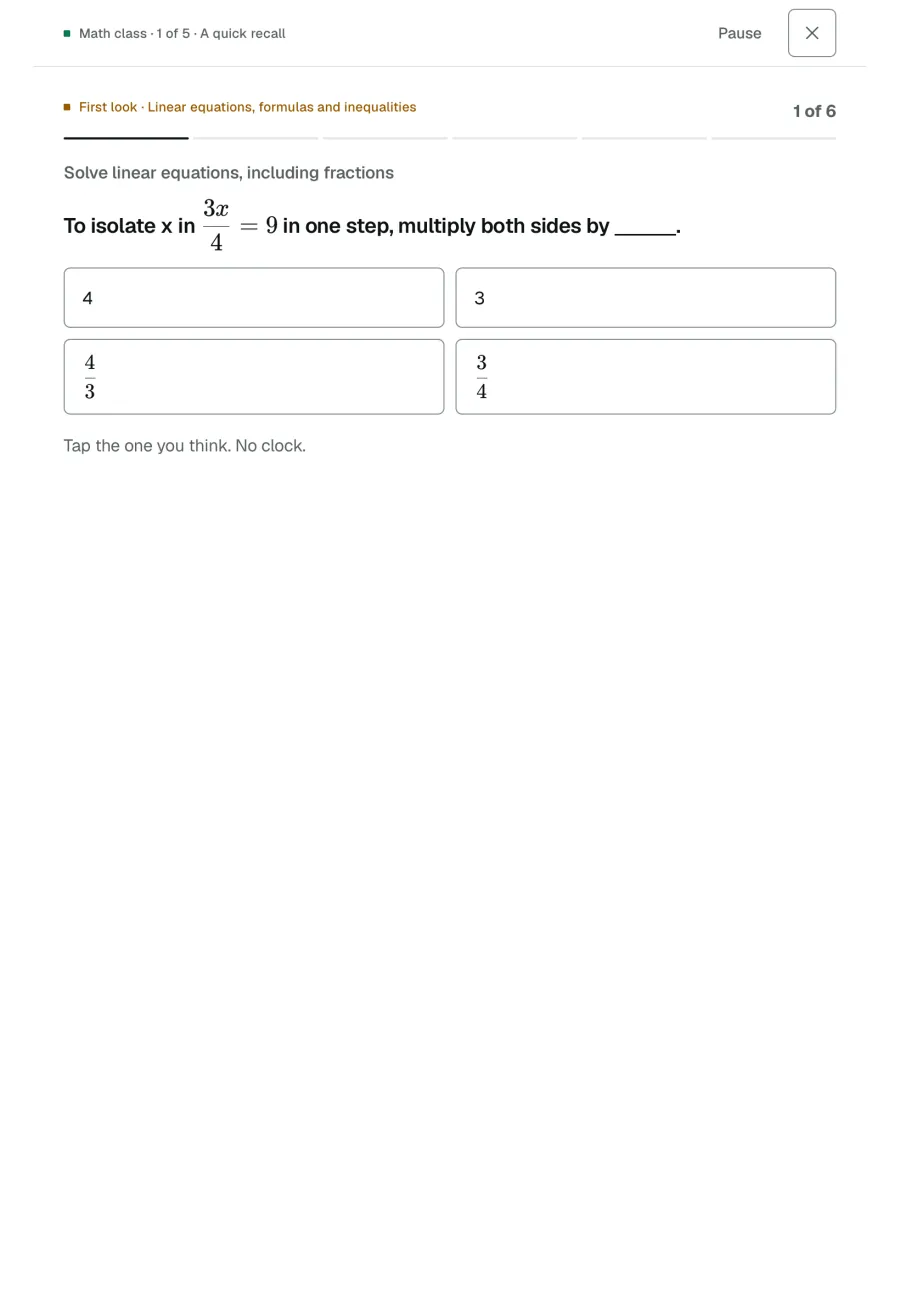
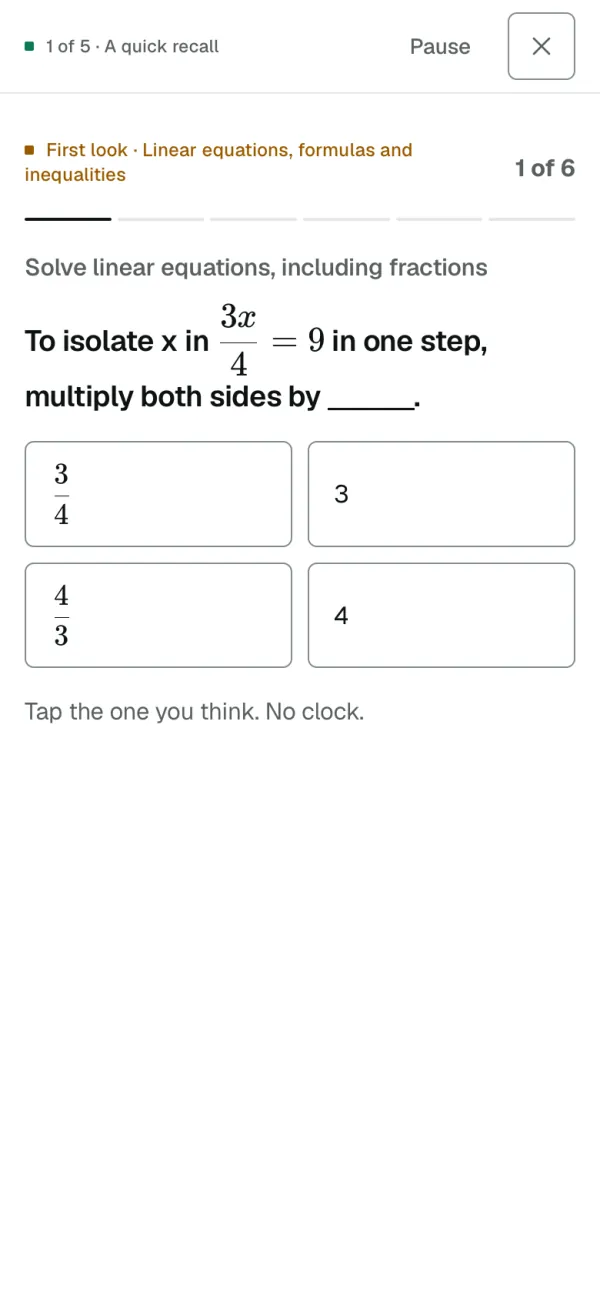
A quick recall
An easy start on what you did last time. Tap the one you think; there's no clock.
- 3
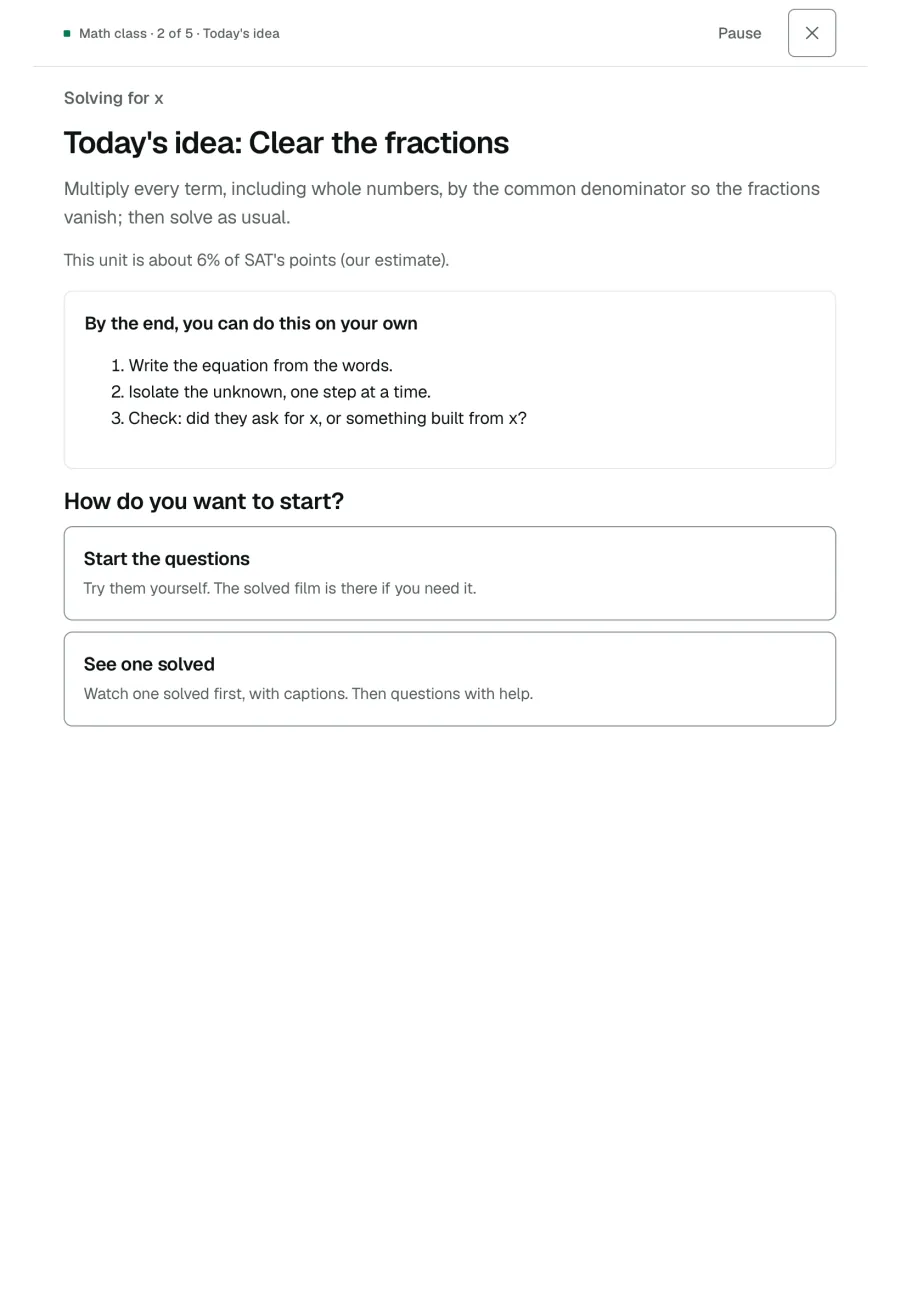
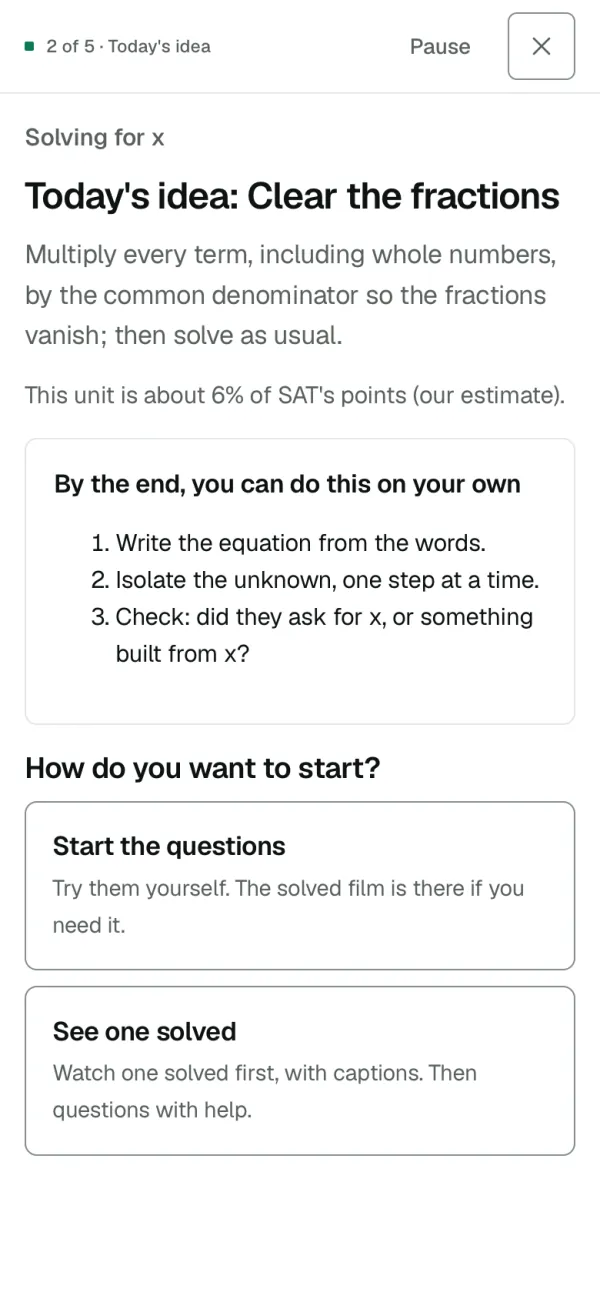
Today's idea
One idea a day, and what you'll be able to do by the end. See one solved first, or try the questions; help is there either way.
- 4
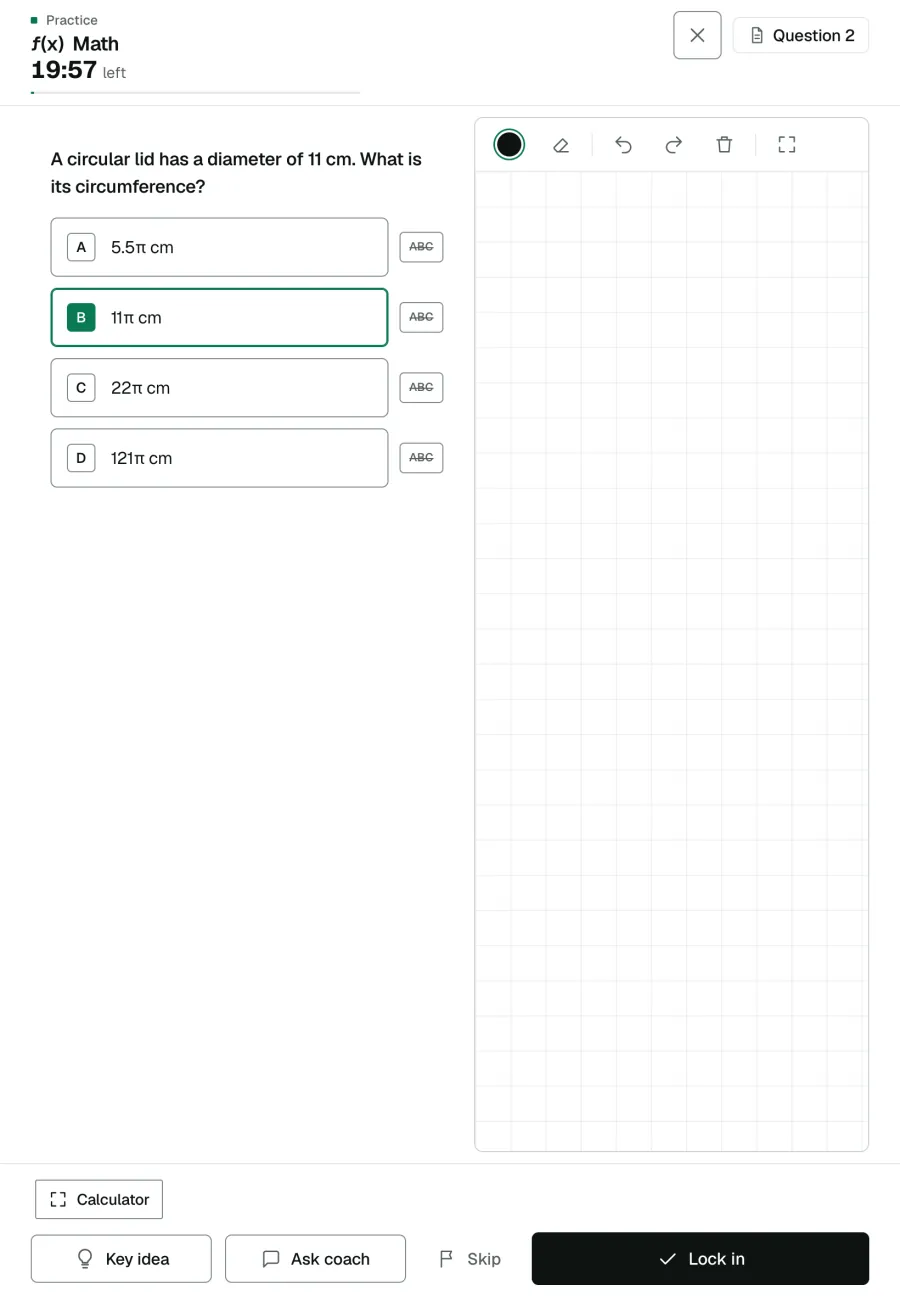
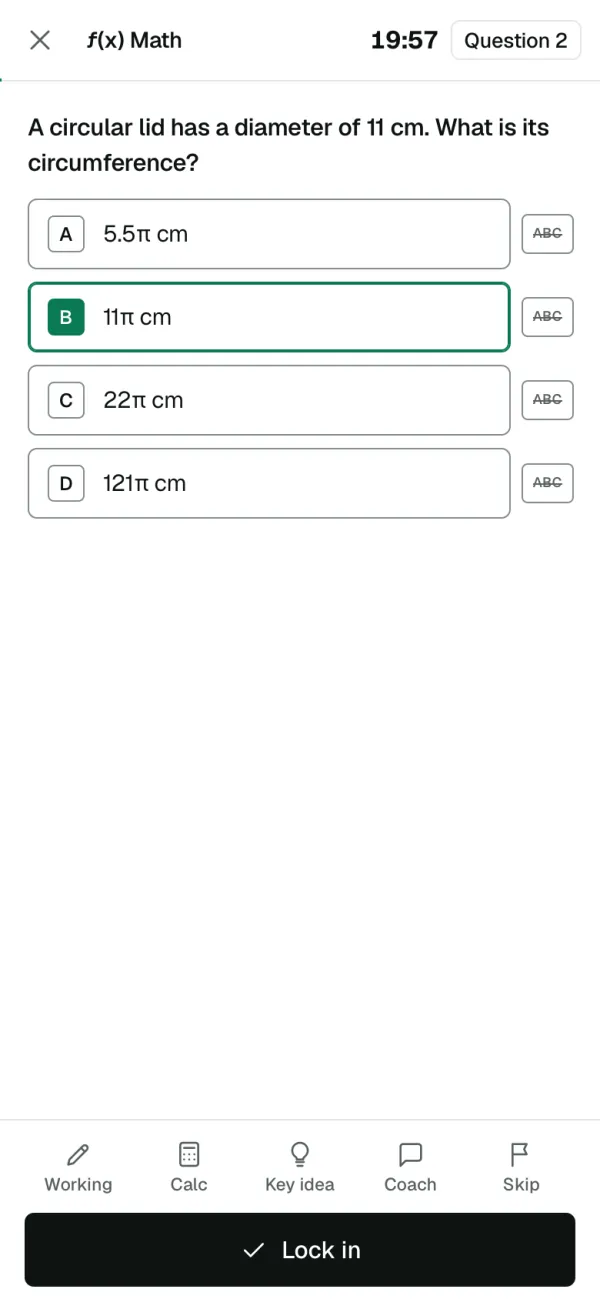
Questions as the test sets them
One at a time, in the test's own words. Cross out what you've ruled out, then lock in.
- 5
Write it out
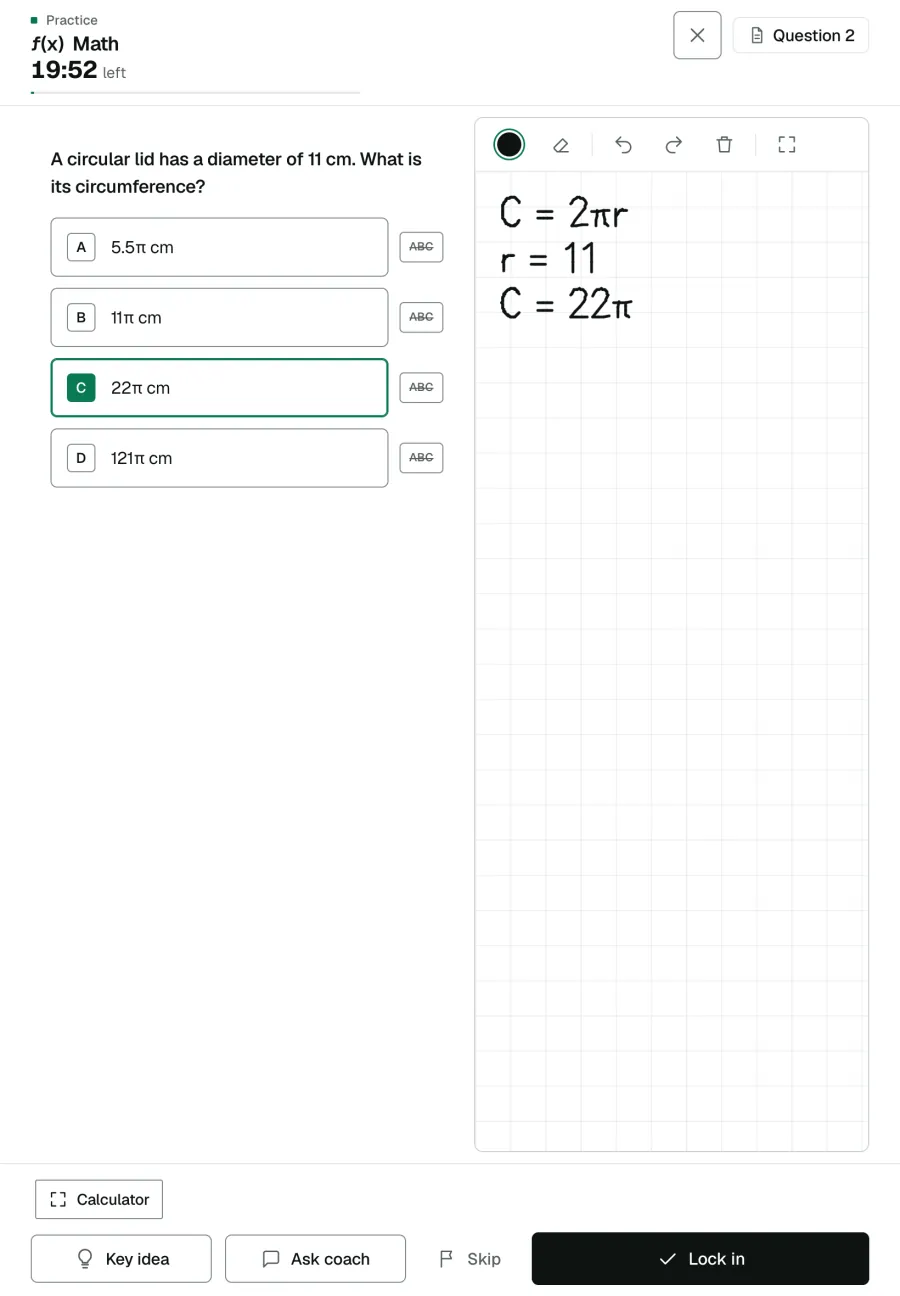
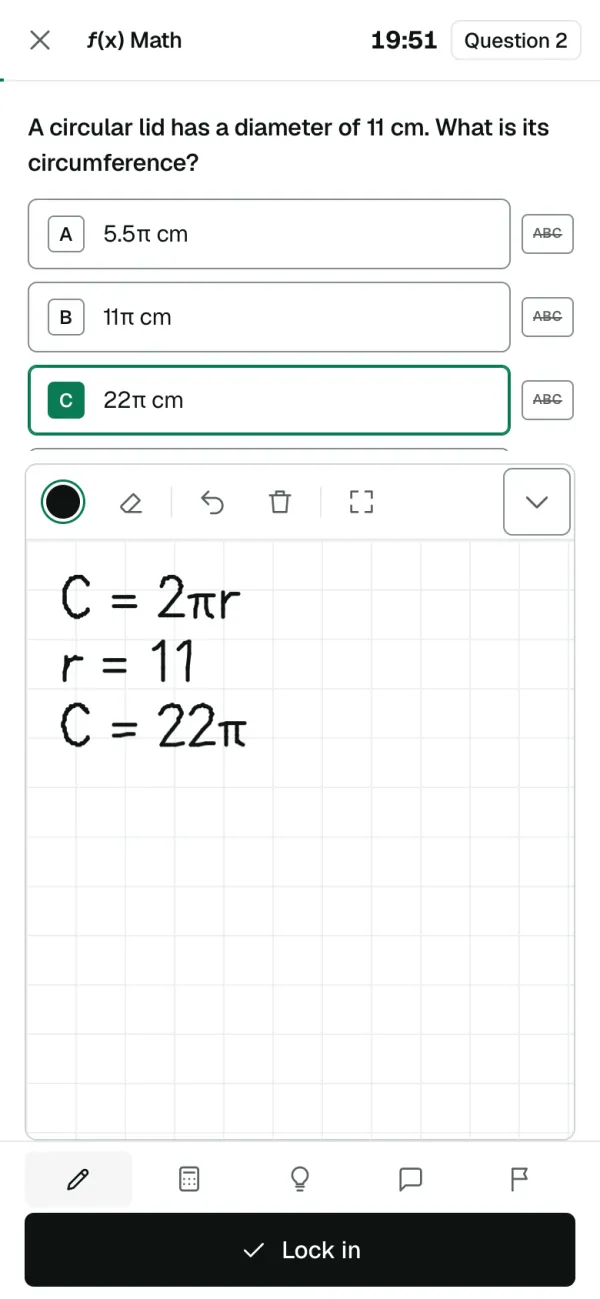
A pad on every math question, for a finger or a pen. Here the radius went wrong: 11 is the diameter.
- 6
The coach reads your working
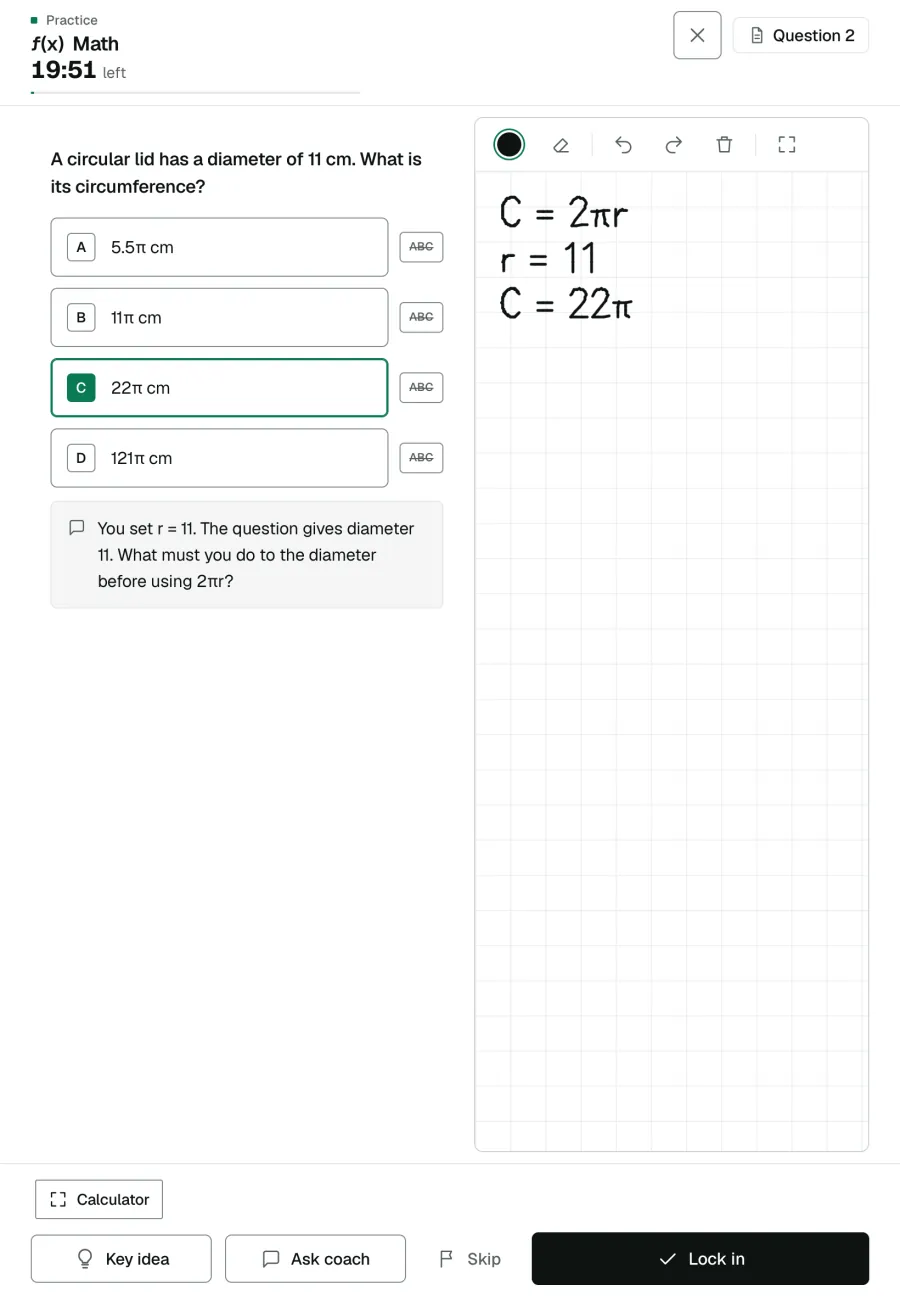
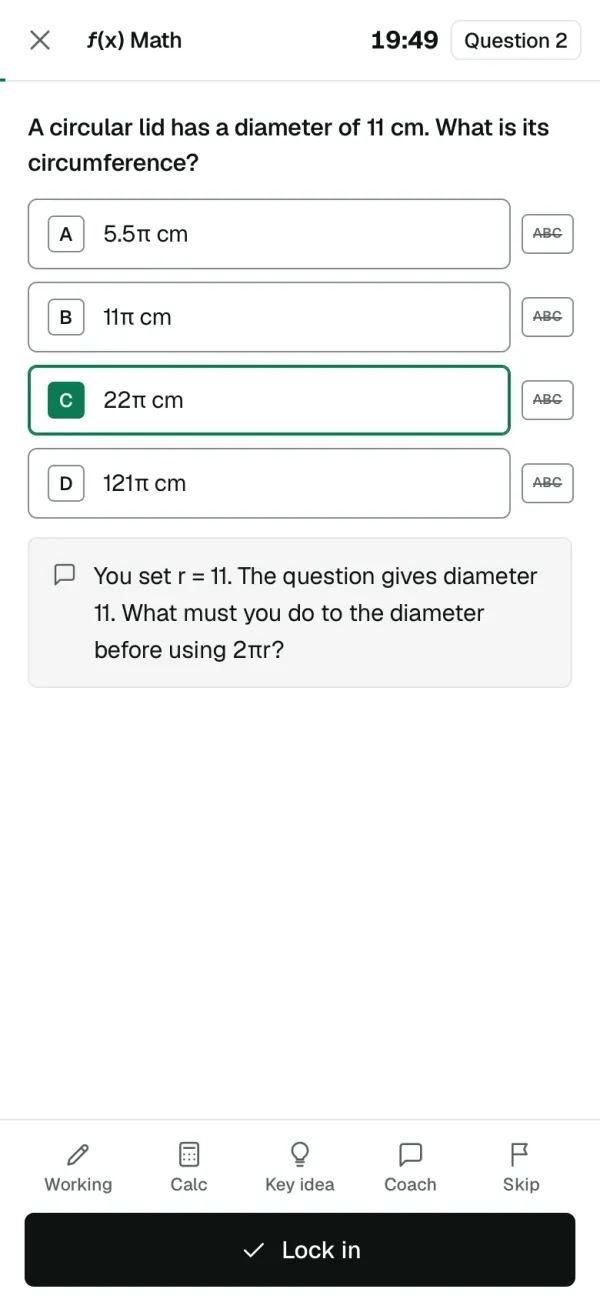
Ask, and it looks at what you wrote and asks about the next step, here: the question gives the diameter, not the radius. It's built not to give the answer.
- 7
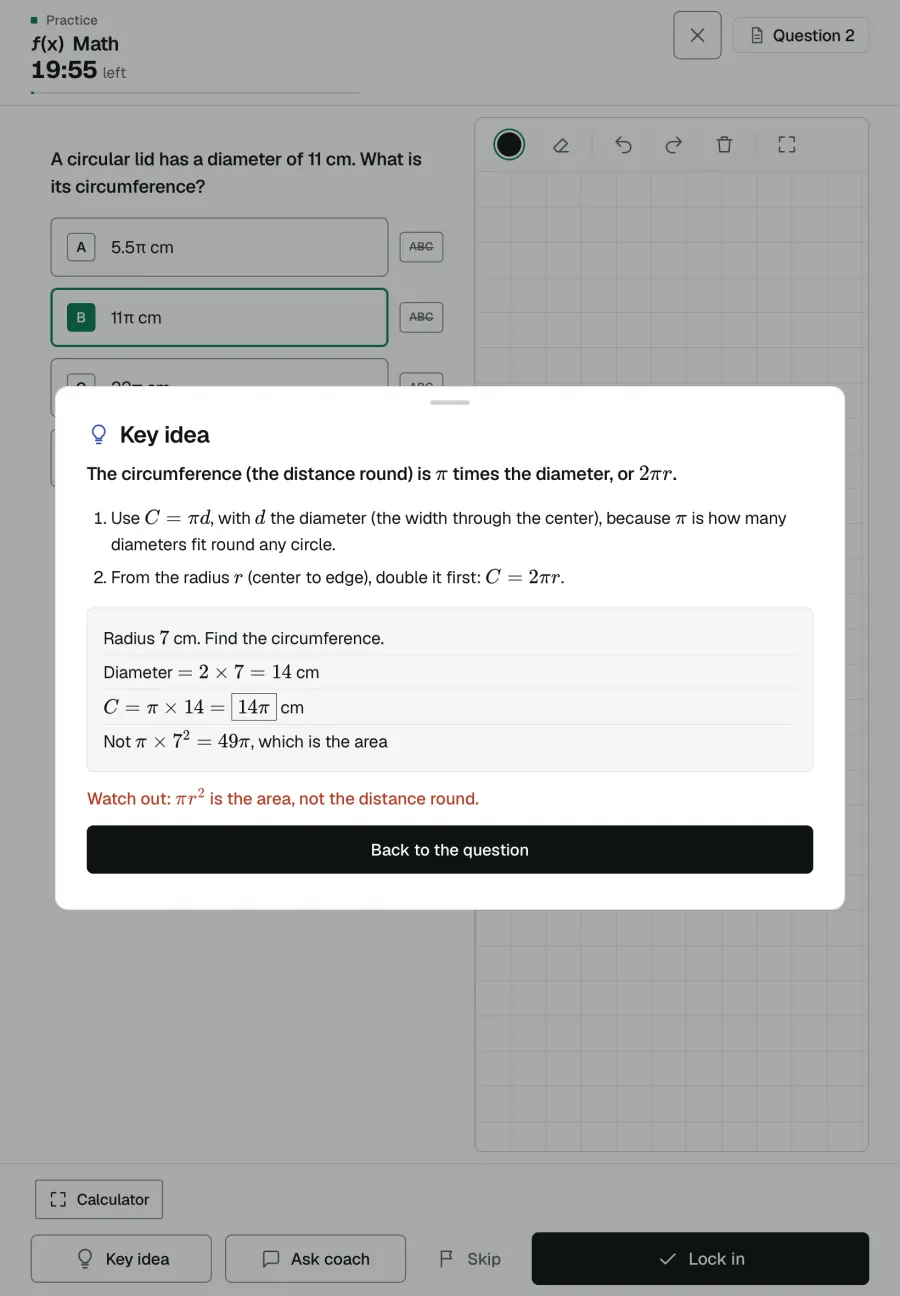
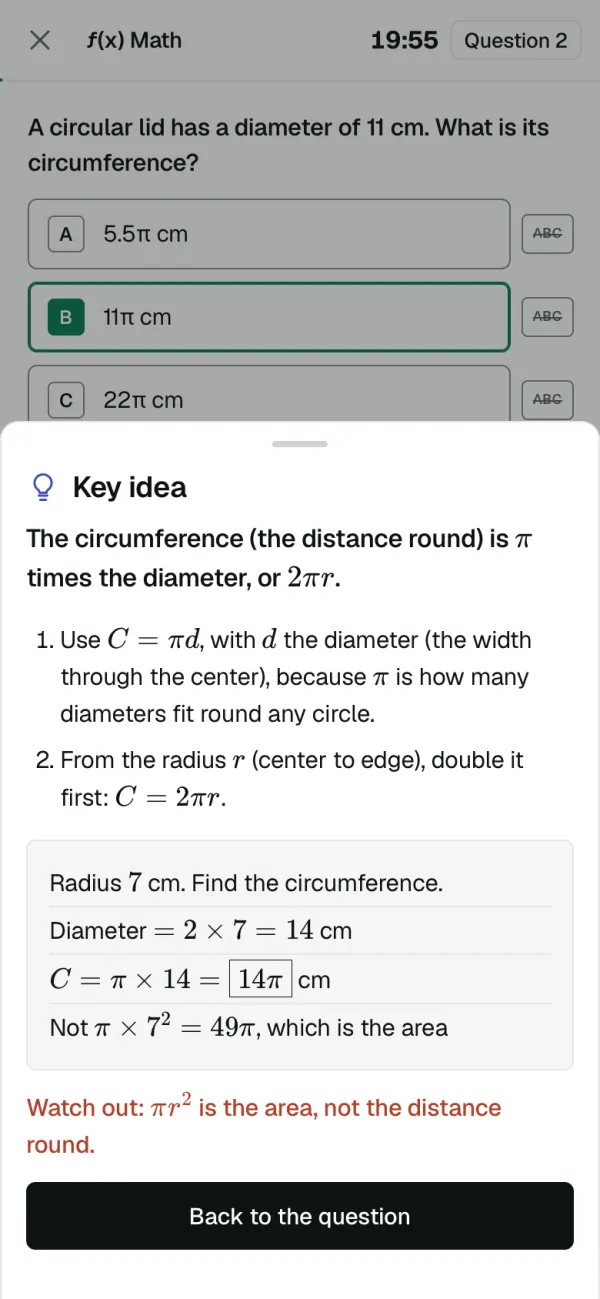
Key idea
The idea behind the question in a few lines, with a worked example, checked so it doesn't give the answer away.
- 8
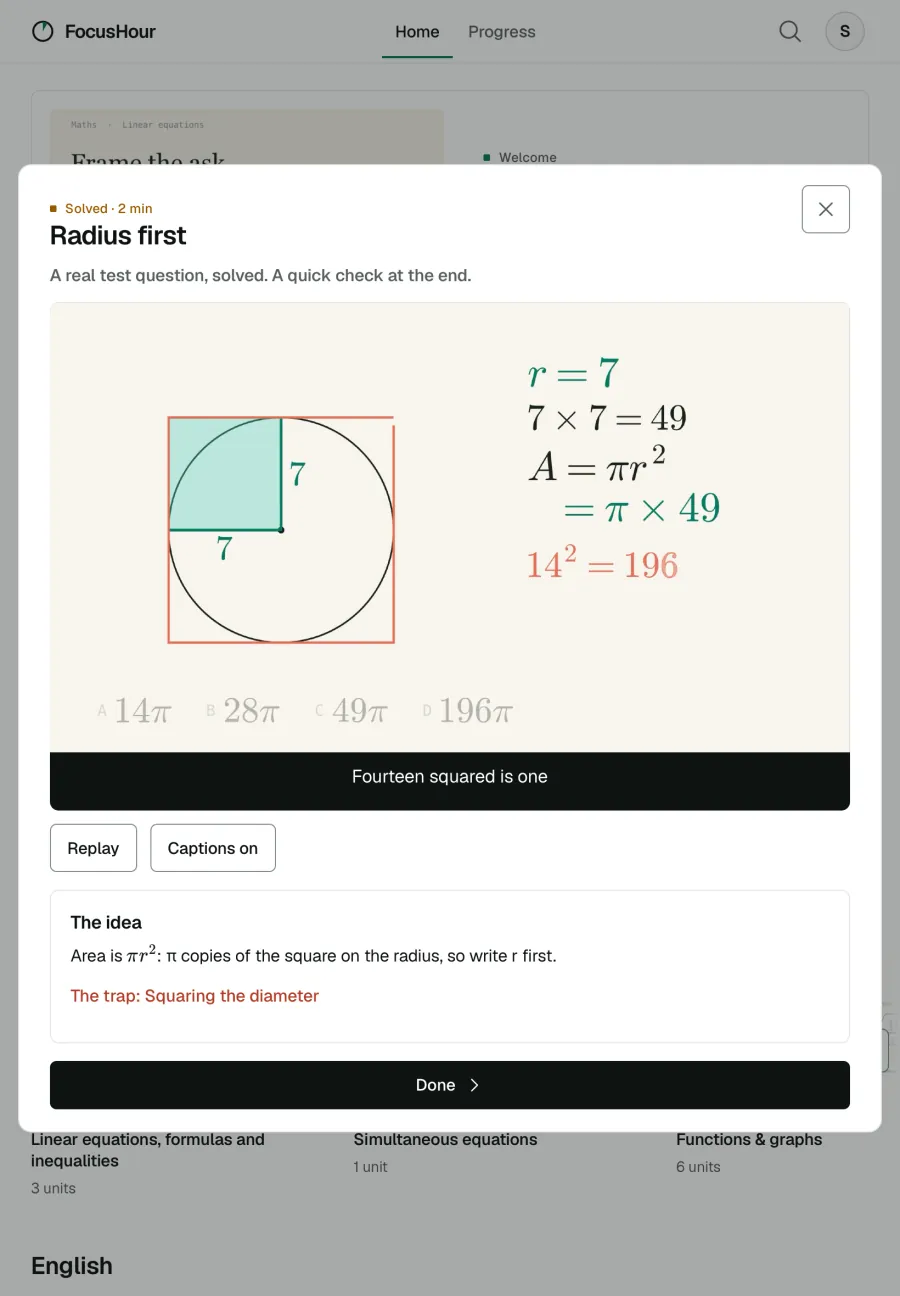
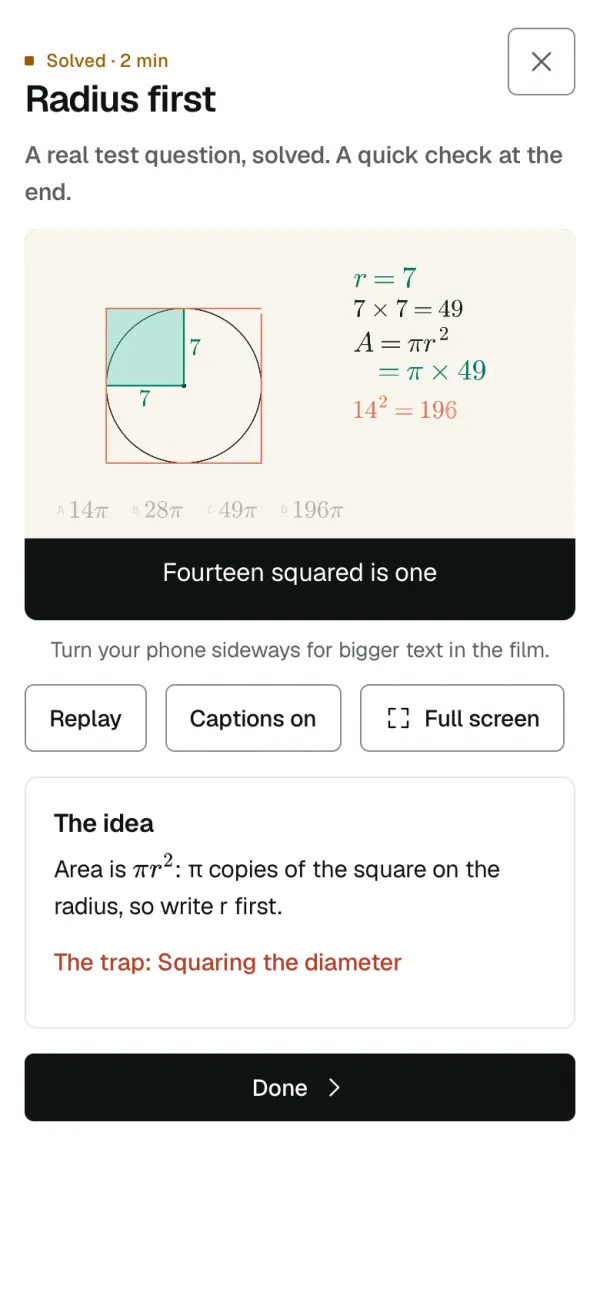
Films
194 short films: a real test question solved step by step, or a tool taught from scratch, with captions.
- 9
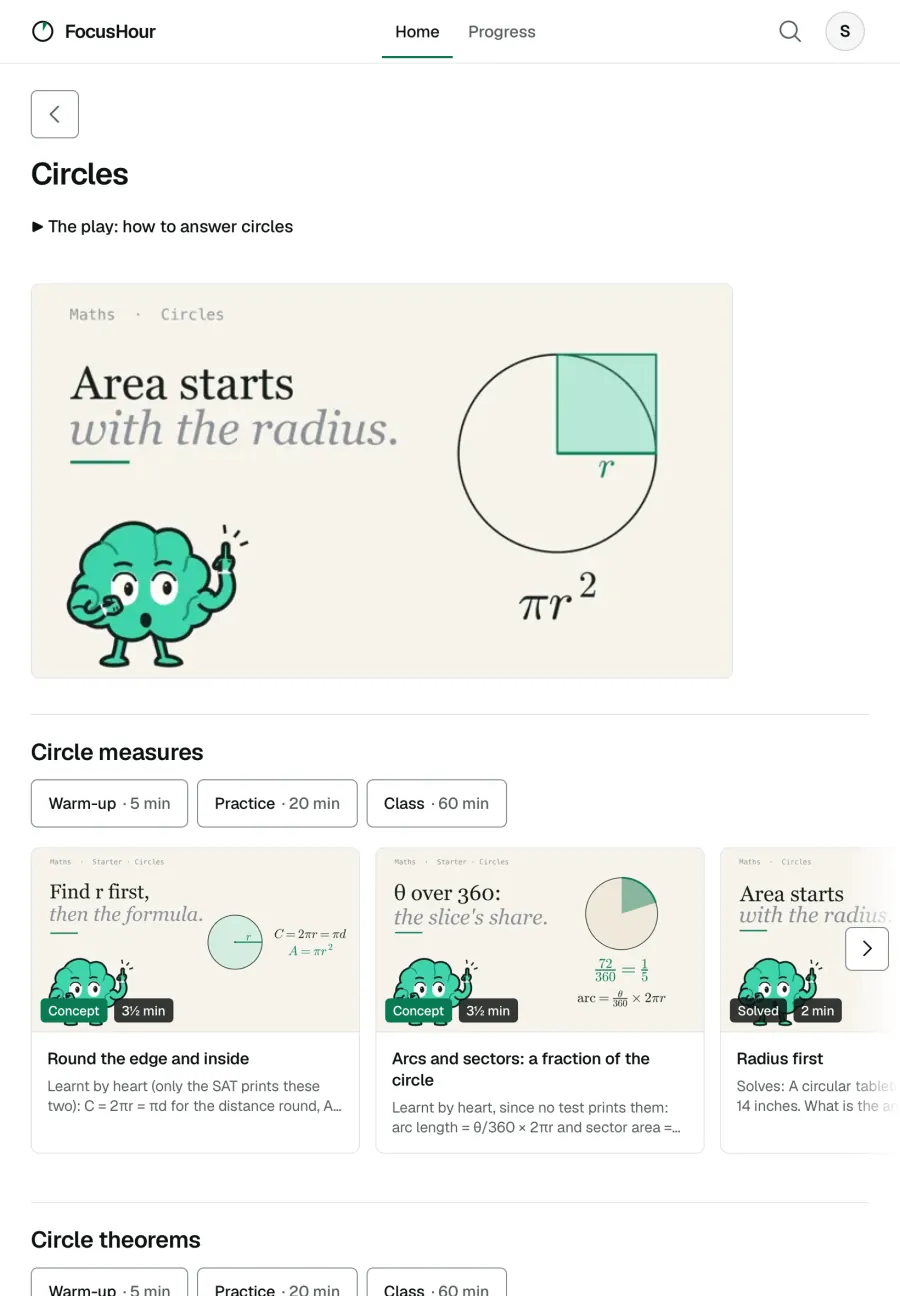
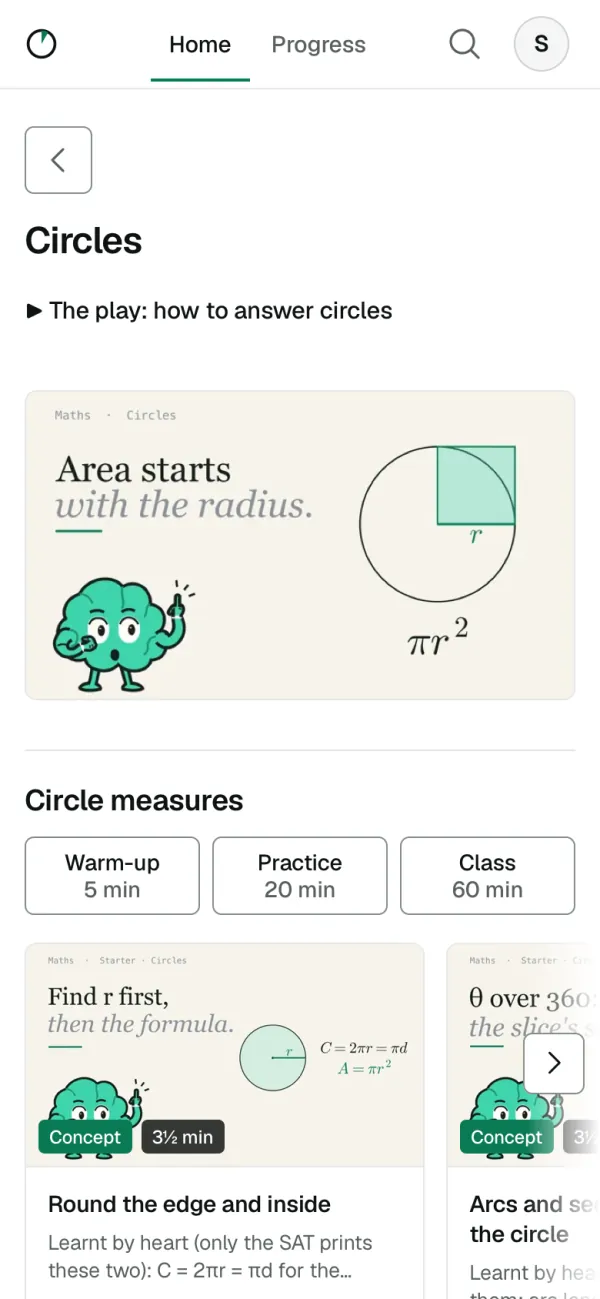
The question bank
4,200+ questions across 21 topics. Each topic has its films, a 5-minute warm-up, 20 minutes of practice and a class.
- 10
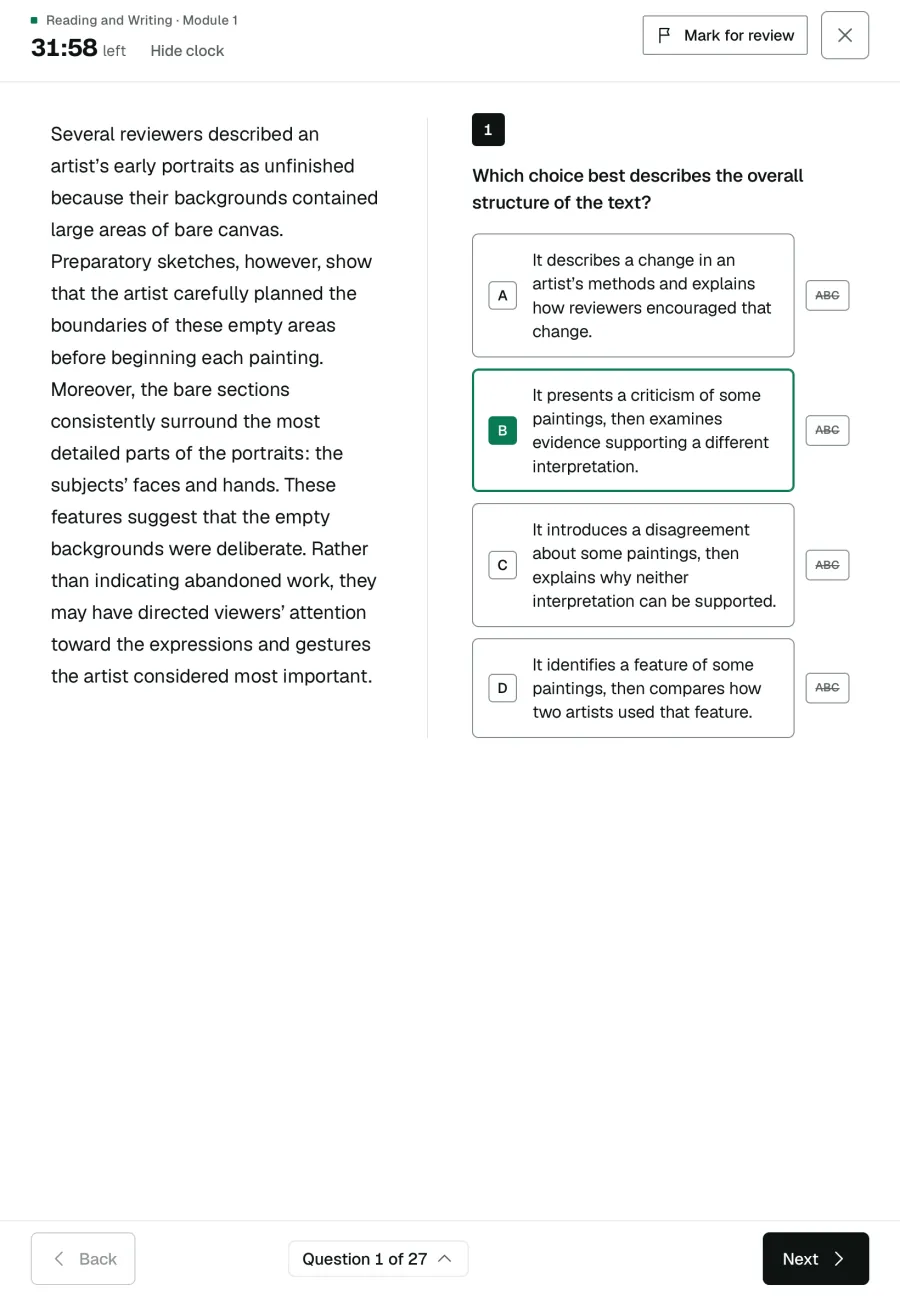
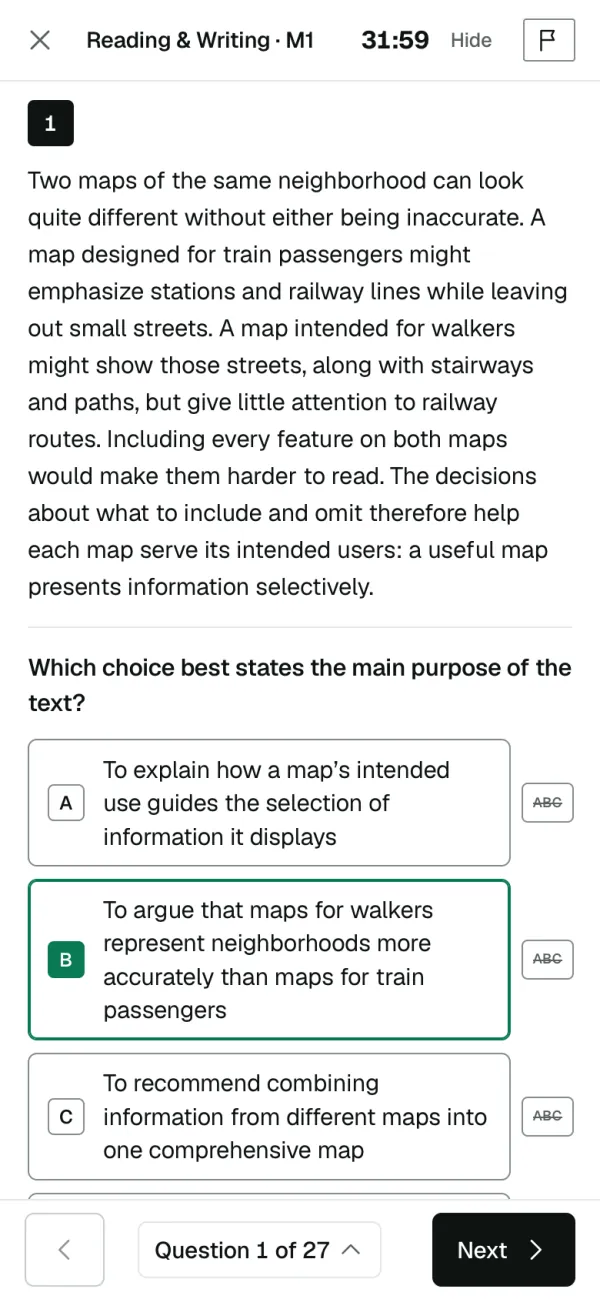
A full practice test
Four timed modules and a break, 2 h 14 min, with no help. The second module of each section is set by how the first went.
- 11
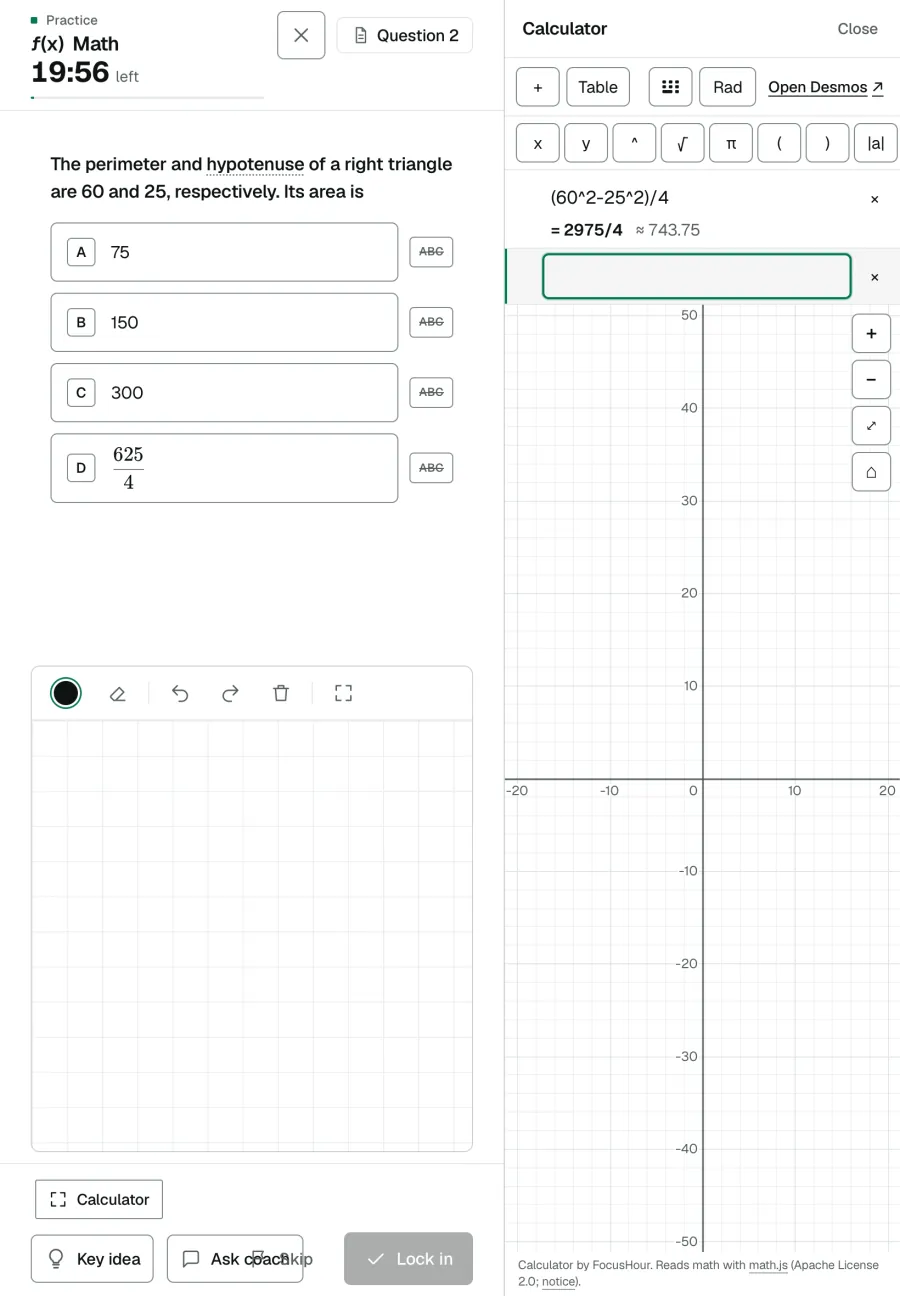
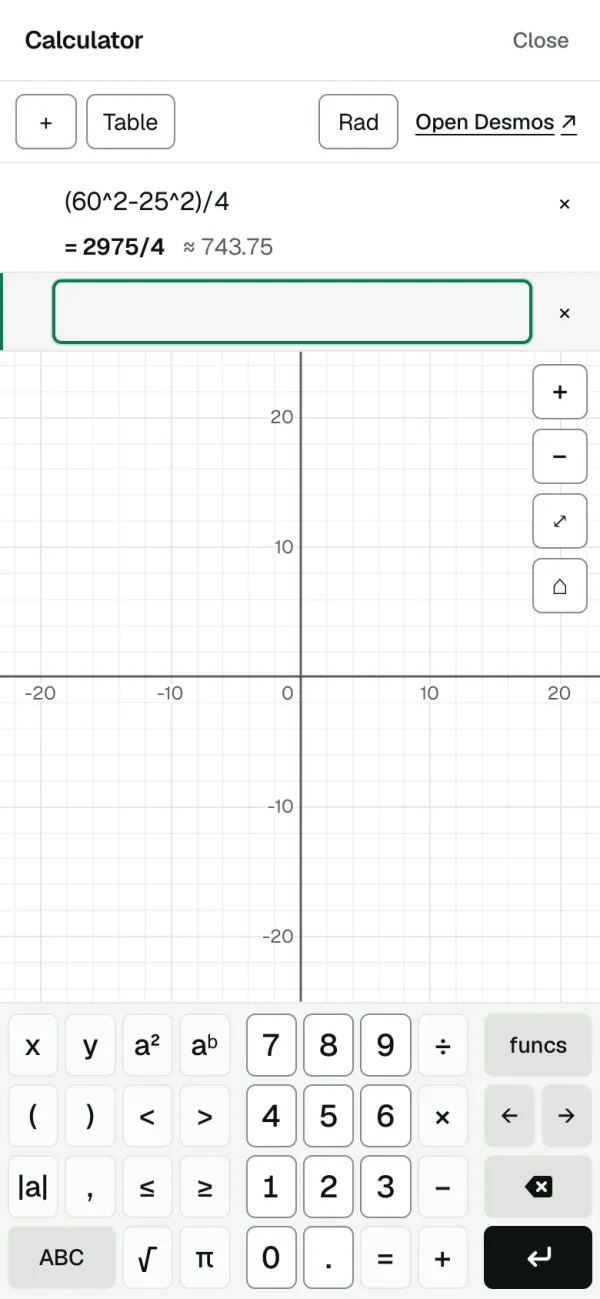
A graphing calculator
Beside math practice and in the practice test, as on the real one.
- 12
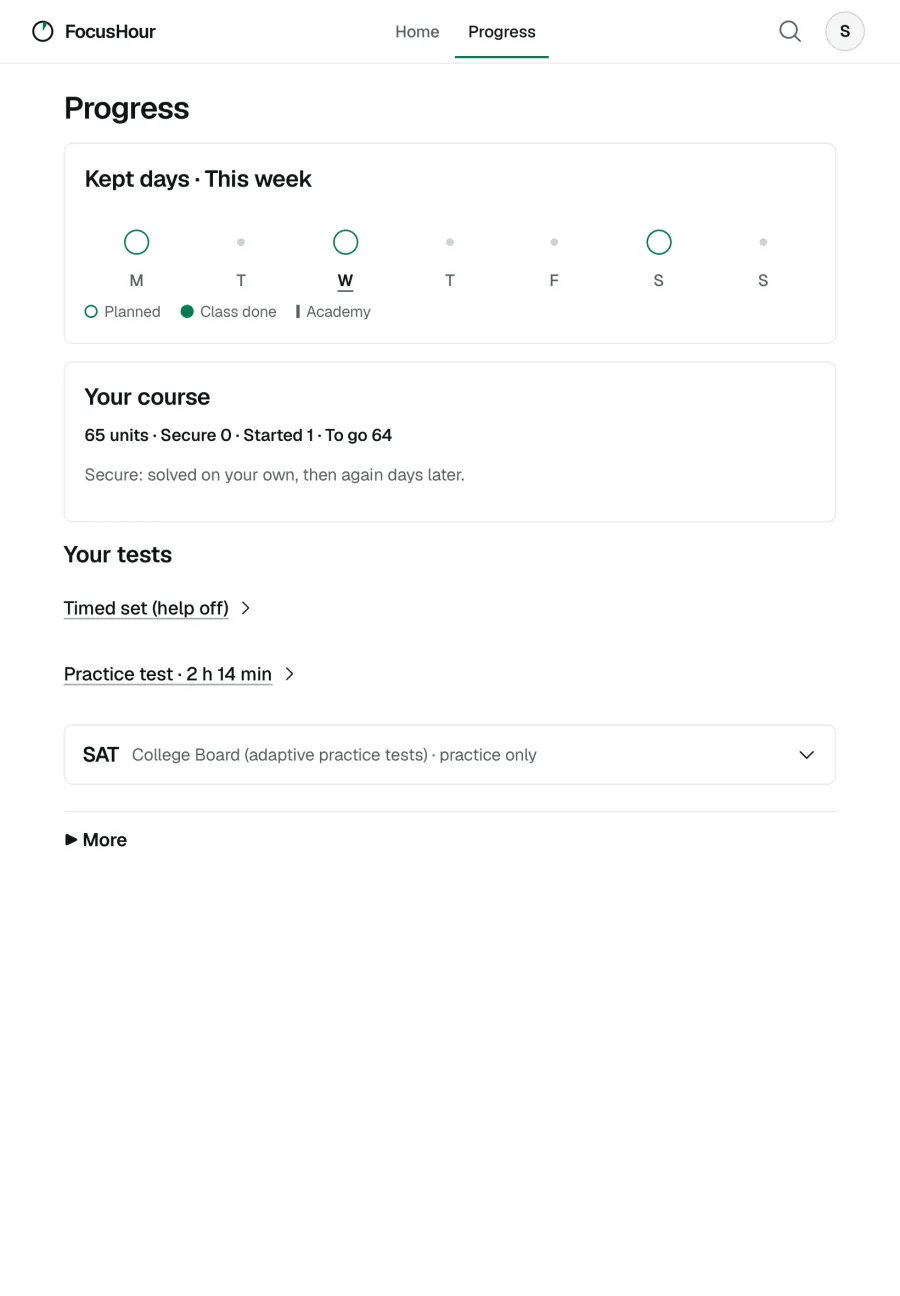
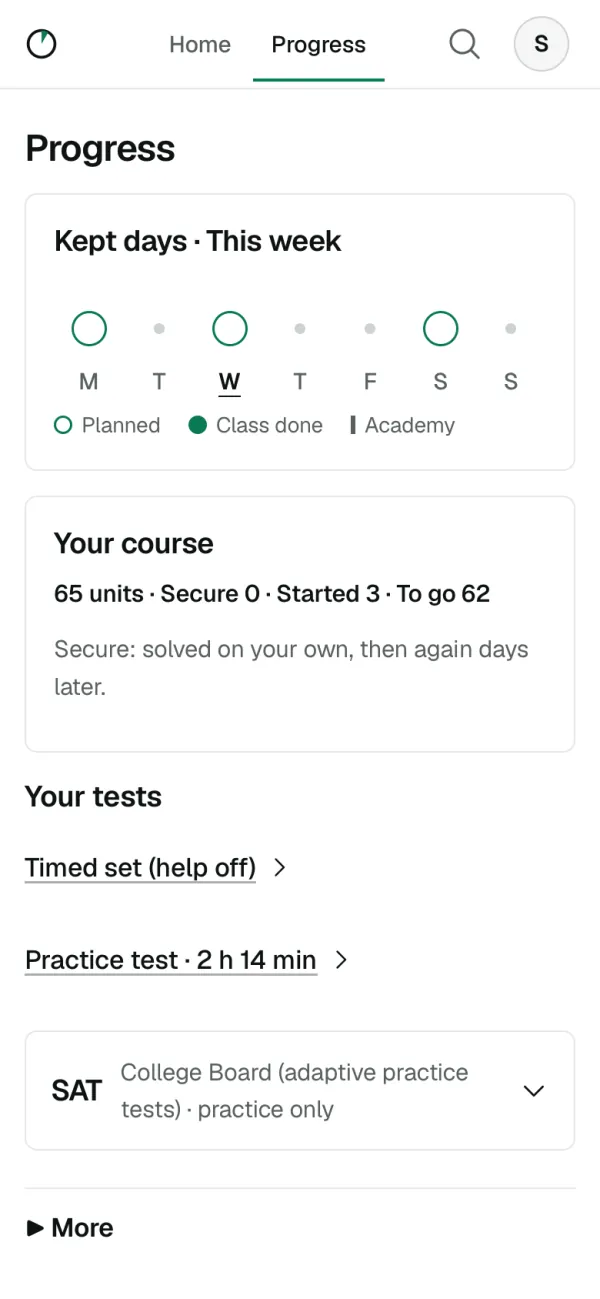
Progress
The days you planned and kept, your course, and the practice test when you're ready.


A weekly report for parents.
The days planned and kept, the answers and the working, the ideas behind the lost points, and one or two things you can do. Set it up yourself: make your own account, choose your teen's focus days, and invite them.
A sample report for a made-up student. Every number is invented.
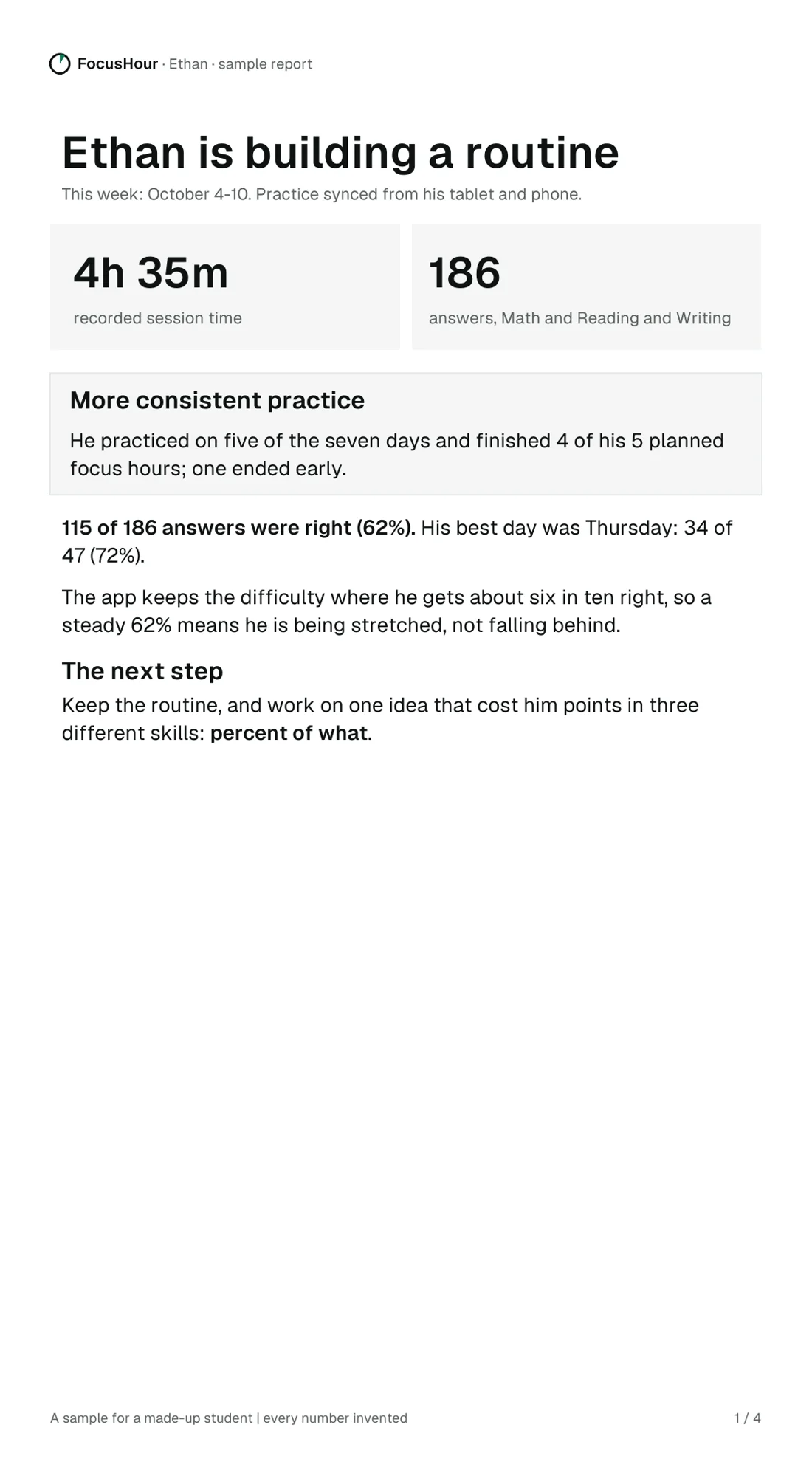
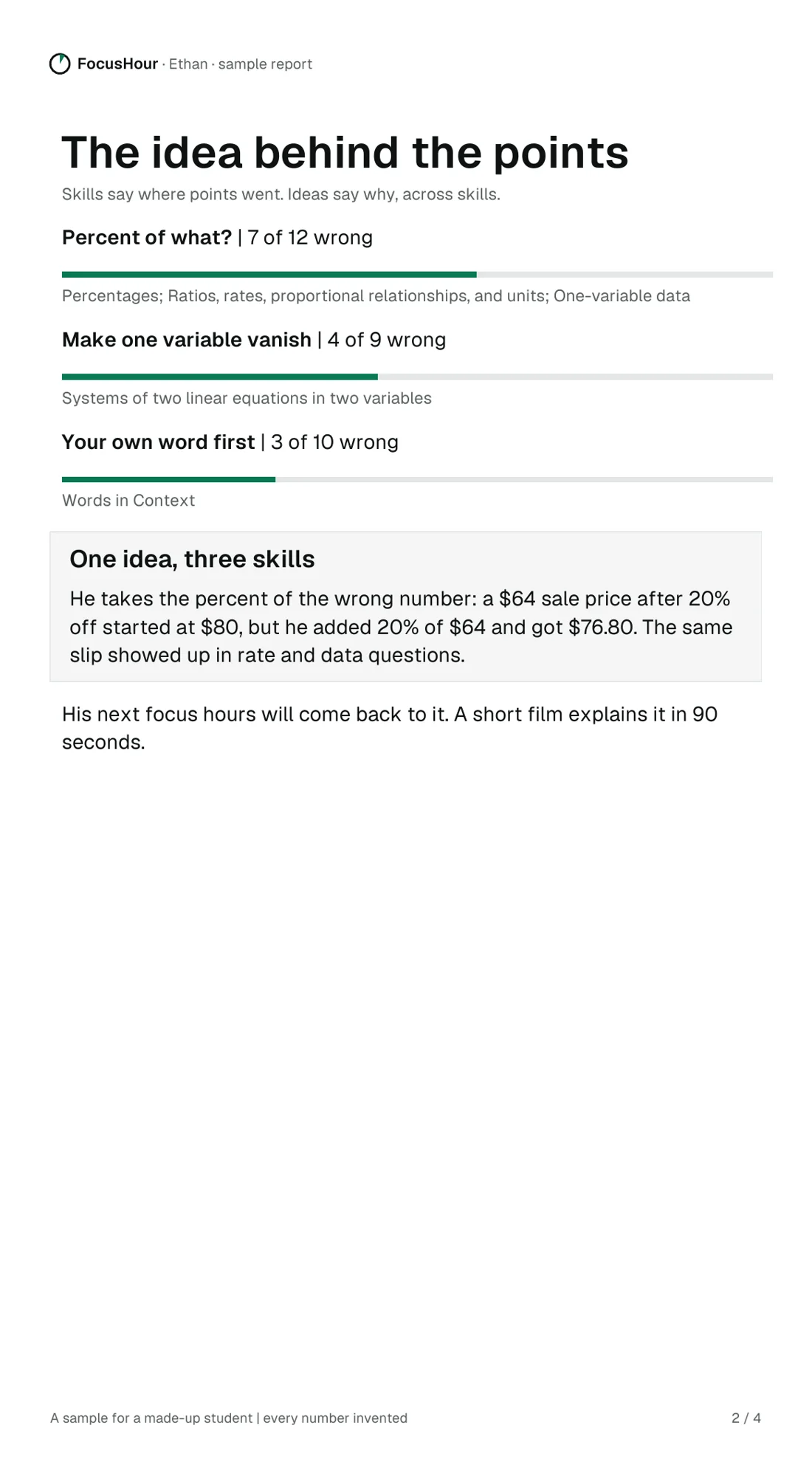
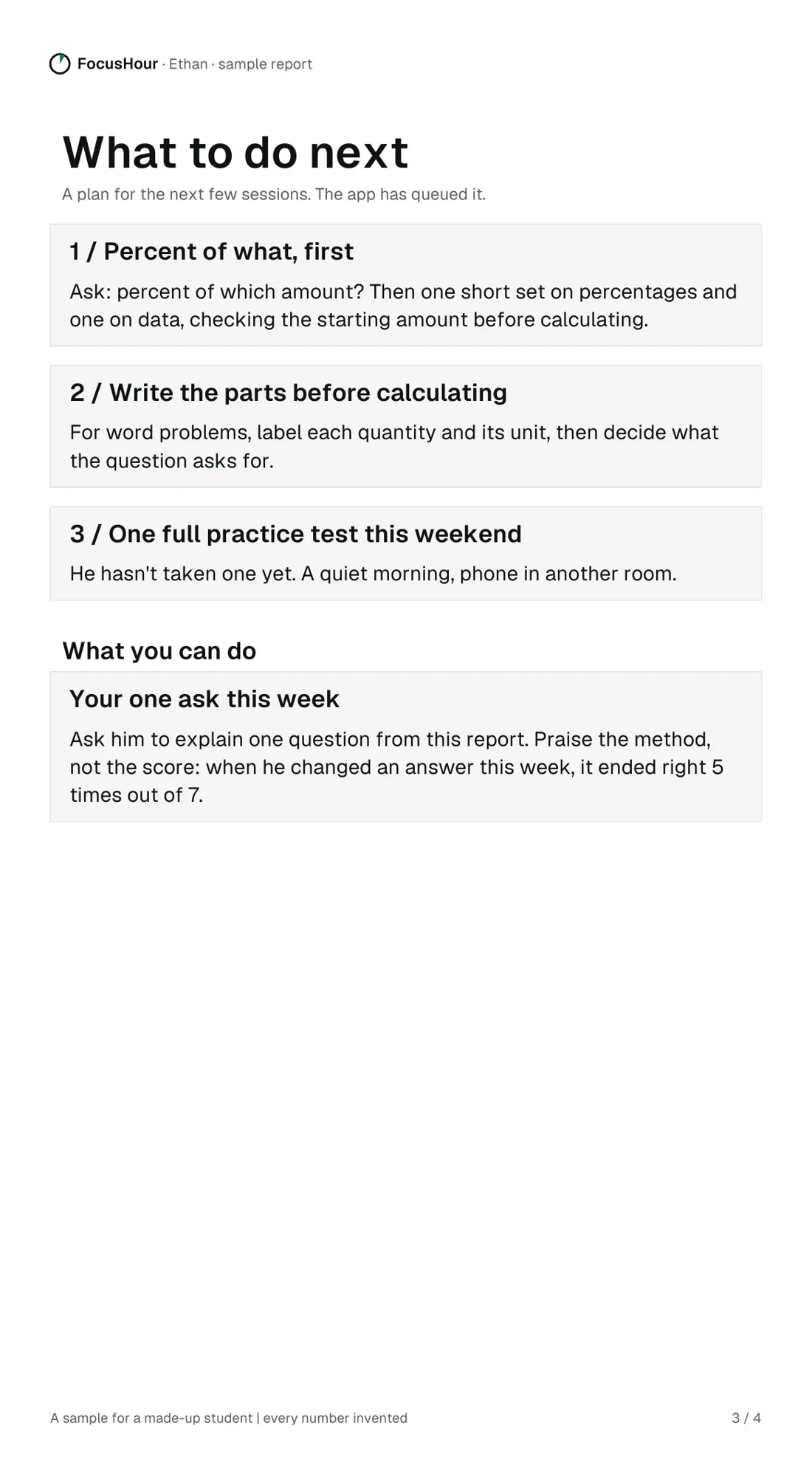
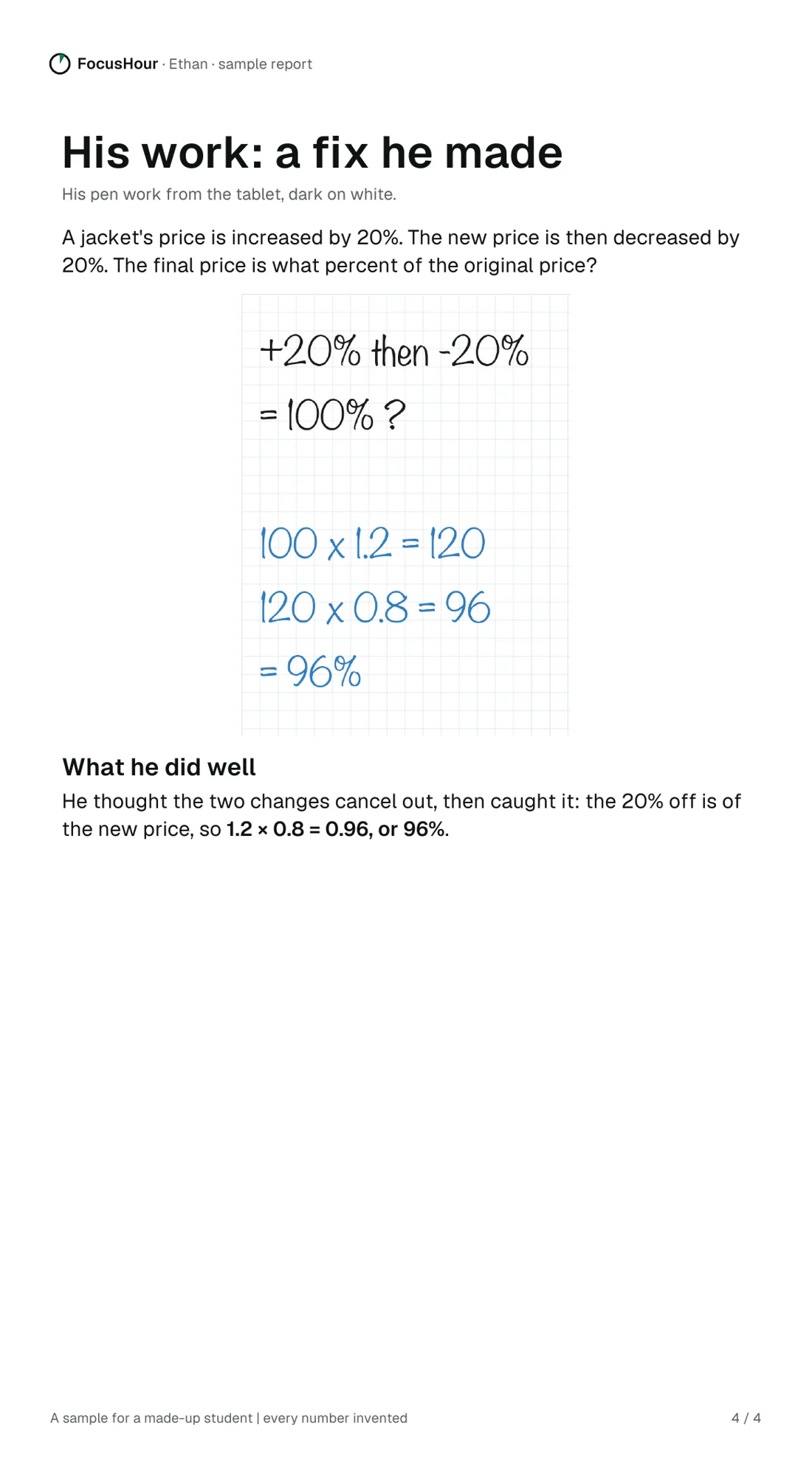
A sample weekly report for a made-up student, Ethan, on a phone: he is building a routine (4 hours 35 minutes, 186 answers, 62% right); the idea behind his lost points (percent of what, 7 of 12 wrong across three skills); what to do next, with one ask for the parent; and his own pen work, where he caught a mistake.
- 1
The week, in numbers
How the week went: the time he put in, the answers, and how many were right.
- 2
Where the points went
The idea behind the lost points, across skills, so you know what's really wrong.
- 3
What to do next
What he'll work on next, and one thing you can do this week.
- 4
His own working
Wrong answers with his own pen work, so you see how he thinks.
In the browser, on a phone, tablet or laptop.
- Any phone, tablet or laptop: open getfocushour.com. Nothing to install.
- Best on a tablet with a pen, where there's room to write the working.
- One account for the student, and one for a parent, linked by an invitation.

Start free with one full class.
A free account
For a student or a parent. No card needed.
- One full focus hour
- A few films and topics to try
$500 a year or $100 a month
7 days free first, by card. Cancel before day 7 and you won't be charged; after that it renews until you cancel.
- A focus hour on the days you choose, with Key idea and the coach
- Every SAT film, topic and the practice test
- A weekly report for parents
Questions
Is the coach a person?
No. It's an AI coach. It reads the working on the screen and asks about the next step; it's built to nudge, not to give the answer. Key idea shows the idea behind a question, checked so that it doesn't give the answer away.
What does a parent see?
A weekly report on the real work: the days planned and kept, the answers and working, where the points went, and one or two things you can do.
What does it cover?
The digital SAT's math and its reading and writing, built on College Board's published skills. The practice test follows the digital SAT's shape: two modules a section, the second set by how the first went.
Do we need a tablet?
No. FocusHour works in the browser on any phone, tablet or laptop. A tablet with a pen is best, because there's room to write the working.
Is it instead of a tutor or a class?
No. It goes alongside them: one focus hour on the days you choose.
How do we pay?
Start with the free account. When you're ready, start a 7-day free trial in the app with a card, then $500 a year or $100 a month. Cancel any time in Settings; cancel before day 7 and you won't be charged. Questions: support@getfocushour.com.